 CYBRARY
 Build cyber skills in environments that respond to your decisions.
Practice investigations, response and secure engineering in browser-based emulated environments. Follow a guided lab, work an open-ended case or test your skills, then use the debrief to decide what to practice next.
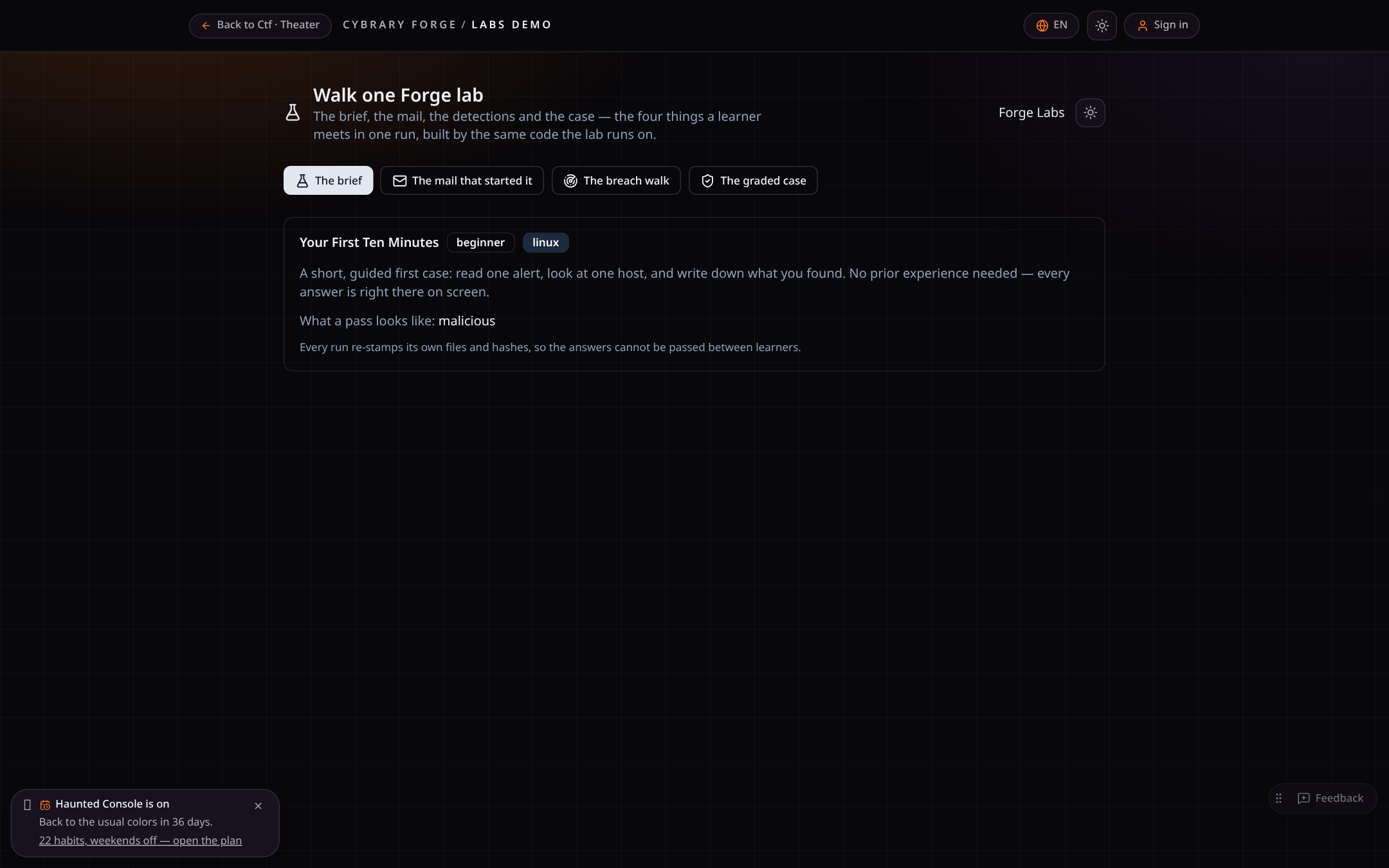
- 1. BriefWhat happened and what you're asked to do.
- 2. ActionWork the desktop, SIEM and tickets.
- 3. ConsequenceThe environment changes with your choices.
- 4. DebriefWhat you did, what you missed, what to try next.
Jump right in
All labs and scenarios
Features
Rewind and branch
Go back to a decision and try another way
Before a big move — isolating a host, disabling an account, restoring a backup — Forge keeps a decision point. Rewind to it, make a different call, and compare the branches side by side: score, objectives and time to containment on one decision tree.
Branch outcomes are emulated inside the lab, not proof about a real network. Not available in Arena events, assessments or team rooms yet.

Emulated environment and sample data. Screens are from the product, not a customer session. Watch the five proof demonstrations.
Remote Assist
Help someone mid-lab, with their permission
Managers, company admins and Cybrary staff can ask to see a learner's lab and guide them. The learner presses Allow to share the screen and allows control separately; requests expire after a minute and every step is logged.
Only the emulated lab is shared. Remote Assist works in any lab desktop; it is off in Arena events.
Finding-to-exercise
From a real finding to team practice to a verified fix
When a manager approves an Anvil finding, Forge AI drafts a private practice lab from it. Your team reviews and publishes it, trains on it, and the real retest is recorded against the same finding, so you can see what was found, who practiced and whether the fix held.
1. Approved finding
Only manager-approved findings can become exercises.
2. Private draft
Forge AI writes an emulated practice lab from customer-safe details. Hosts, addresses, credentials and commands are stripped first.
3. Human review
A person with lab creator rights edits and publishes. It stays private to your company.
4. Team practice
People trained, pass rate and time to finish show on the finding.
5. Real retest
Fixed, partly fixed or not fixed is recorded with a readiness snapshot. Not fixed? Draft an updated exercise.
- Built only from manager-approved findings
- Scrubbed of hosts, addresses, emails, secrets and commands before AI sees it
- Always private to the finding's company
- Published only by a person, through the normal completability check
- Readiness snapshot saved with every retest result
- Per-engagement summary export (CSV)
Practice results come from an emulated exercise and show readiness, not proof the real system is fixed. Training never authorizes a retest; that still needs its own window and signed rules of engagement.
See the loop in a demoRunnable procedures
Change a procedure, rehearse it, keep the result as evidence
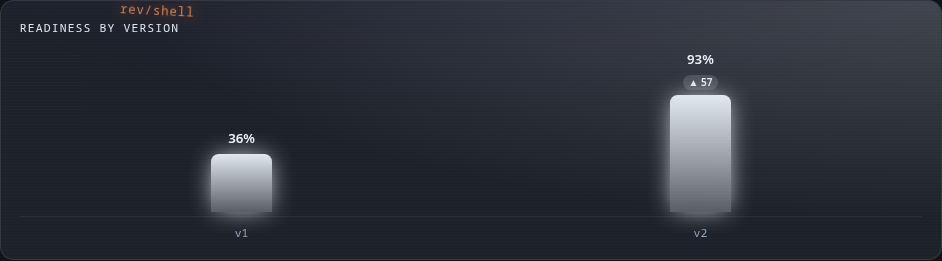
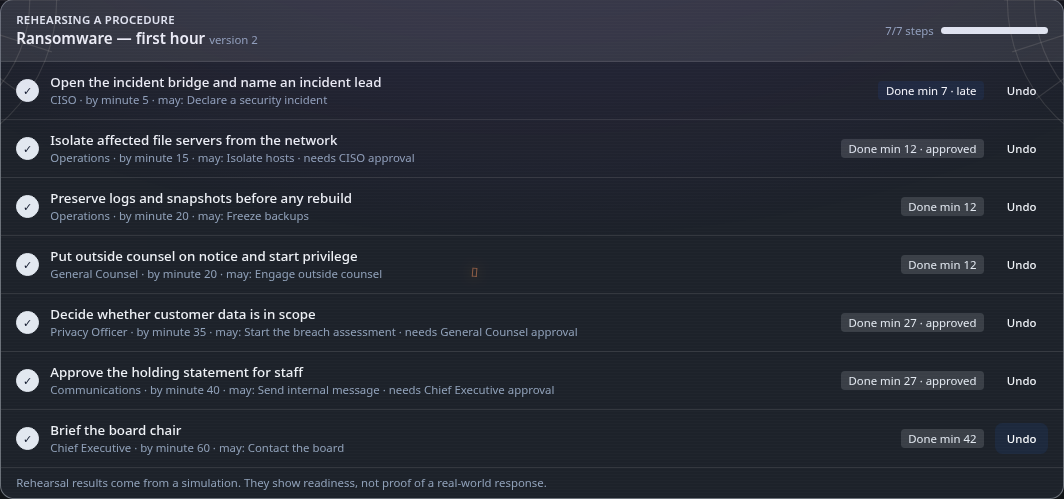
Your incident procedure becomes roles, ordered steps, what each seat may do and who must approve. Every new version is flagged for a Crisis Sim rehearsal, each step is scored on time, late, skipped or missing its approval, and readiness is tracked version by version.
For leaders
Is our plan getting better?
- Readiness per procedure version, with the change that moved it
- A dated record of every rehearsal to share with the board
- See which approvals slow the response before a real incident does
For responders
What do I do, and when?
- Your steps, your seat and the minute each one is due
- Exactly what you're allowed to do, and who has to sign off
- Rehearse the version you'll actually use, not last year's
1. Write or paste
Build steps by hand, or paste your runbook and Forge AI proposes them. A person approves.
2. New version
Every change is a new version with a step-by-step diff, and admins are told a rehearsal is due.
3. Rehearse
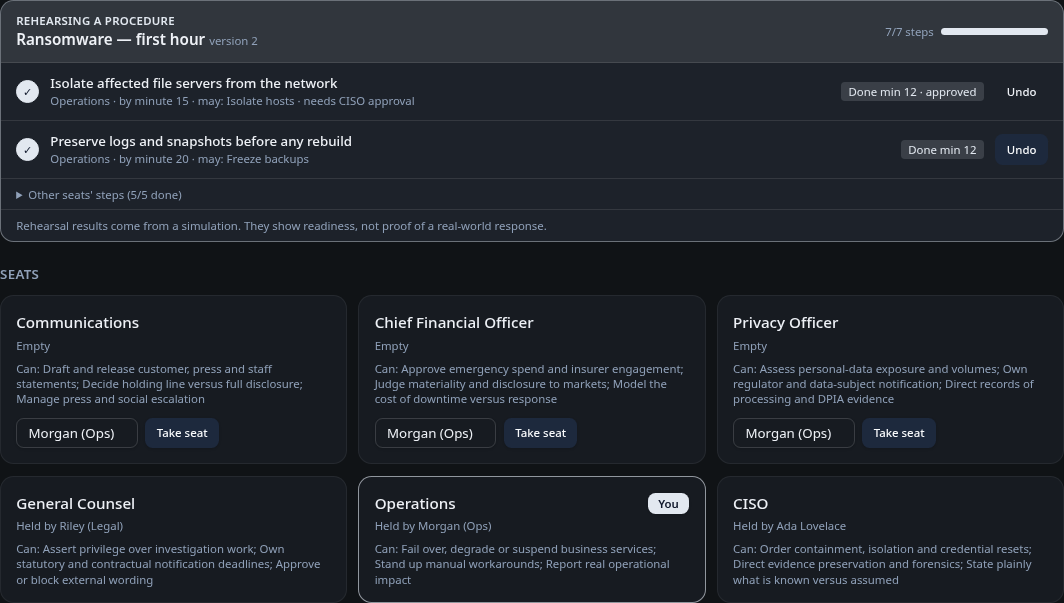
Link a Crisis Sim room: each seat ticks its own steps on the room clock and approvers sign off in the room.
4. Score
On time, late, skipped or missing approval — scored the same way every time, no AI in the score.
5. Evidence
Readiness per version, so you can see whether the change helped.
- Roles, permissions and approvals on every step
- Versioned, with a diff of what changed
- Rehearsal flagged on every new version
- Deterministic step scoring — no AI in the score
- Readiness trend across versions
- AI only drafts; a person approves
Procedures are rehearsed in Crisis Sim; the hands-on steps behind them are practiced in Forge Labs.
Rehearsal results come from an emulated exercise. They show readiness, not proof of a real-world response.
See a procedure rehearsal in a demoLearn it, then practice it
- 1. Learn the concept in a Cybrary course.
- 2. Apply it in a Forge lab where your decisions change the evidence.
- 3. Read the debrief to see what you found and what you missed.
- 4. Try a fresh case without hints to check the skill stuck.
Course-to-lab recommendations are being connected lab by lab; today, managers assign the next step.
Building a program for your team?
Assign labs to your people, follow their progress and run team exercises from the same catalog. Company catalogs can carry your own branding and scenarios.
Common questions
Do I need an account to open a lab?
You can browse every lab and read its scenario and rules without signing in. Launching a lab needs a Forge account with access to it.
Is anything real running?
No. Labs run emulated Windows-style and Linux desktops, consoles and tools in your browser. Training actions execute within the emulated estate and cannot target arbitrary external systems. Authorized real-world testing is a separate product, Anvil.
Is there a coach or hints?
Most labs offer an optional guide with a hint ladder. Hints are tracked in the debrief so you and your manager can see how you got there.
Which languages are supported?
Seven languages are fully prepared, and more can be switched on from the language menu; the first person to choose a new language waits while it is prepared.
Can we customize labs for our company?
Company catalogs can use your branding and wording, and your team can build and publish its own scenarios. Larger changes to emulated systems are scoped with our team.